
LangGraph solves the core problem with standard LLM pipelines: they’re stateless and linear. Real agentic tasks require looping (“keep searching until you find X”), conditional branching (“if the test passes, deploy; if not, fix the bug”), and state that persists across many steps. This tutorial builds three progressively complex agents from scratch.
How LangGraph Works — Core Concepts
LangGraph models agent workflows as directed graphs. Nodes are functions that process state (LLM calls, tool executions, data transformations). Edges are connections between nodes — either fixed or conditional. State is a typed dictionary that flows through every node, accumulating information. Checkpointer saves state after each node — enabling memory, resumability, and time-travel debugging.
The graph runs until it reaches an END node. Loops are just edges that point back to earlier nodes.
Install LangGraph
pip install langgraph langchain-anthropic langchain-community tavily-pythonPart 1 — Simple ReAct Agent
LangGraph’s prebuilt create_react_agent handles the full Reason + Act loop. Use for standard tool-using agents:
from langgraph.prebuilt import create_react_agent
from langchain_anthropic import ChatAnthropic
from langchain_community.tools.tavily_search import TavilySearchResults
from langchain_core.messages import HumanMessage

llm = ChatAnthropic(model="claude-sonnet-4-6")
tools = [TavilySearchResults(max_results=3)]
agent = create_react_agent(llm, tools)

result = agent.invoke({
    "messages": [HumanMessage("What are the top AI agent frameworks in 2026?")]
})
print(result["messages"][-1].content)
Part 2 — Custom StateGraph Agent
Step 1: Define State
from typing import TypedDict, Annotated, Sequence
from langchain_core.messages import AnyMessage
import operator

class AgentState(TypedDict):
    # Annotated with operator.add = APPEND, not overwrite
    messages: Annotated[Sequence[AnyMessage], operator.add]
    research_topic: str
The Annotated[..., operator.add] pattern is critical — it tells LangGraph to append new messages rather than replace them. Without this, each node overwrites the full message history.
Step 2: Define Nodes and Routing
from langchain_anthropic import ChatAnthropic
from langchain_core.messages import SystemMessage, ToolMessage
from langchain_community.tools.tavily_search import TavilySearchResults
from langgraph.graph import END

llm = ChatAnthropic(model="claude-sonnet-4-6")
search = TavilySearchResults(max_results=5)

def agent_node(state: AgentState) -> dict:
    system = SystemMessage(content="Research assistant. Search 3+ sources, write structured report.")
    response = llm.bind_tools([search]).invoke([system] + list(state["messages"]))
    return {"messages": [response]}

def tool_node(state: AgentState) -> dict:
    last_msg = state["messages"][-1]
    tool_messages = []
    for tc in last_msg.tool_calls:
        result = search.invoke(tc["args"])
        tool_messages.append(ToolMessage(content=str(result), tool_call_id=tc["id"]))
    return {"messages": tool_messages}

def should_continue(state: AgentState) -> str:
    last_msg = state["messages"][-1]
    if hasattr(last_msg, "tool_calls") and last_msg.tool_calls:
        return "tools"
    return END
Step 3: Build and Compile
from langgraph.graph import StateGraph

builder = StateGraph(AgentState)
builder.add_node("agent", agent_node)
builder.add_node("tools", tool_node)
builder.set_entry_point("agent")
builder.add_conditional_edges("agent", should_continue, {"tools": "tools", END: END})
builder.add_edge("tools", "agent")  # always loop back to agent

graph = builder.compile()
result = graph.invoke({
    "messages": [HumanMessage("Research multi-agent AI systems in 2026")],
    "research_topic": "multi-agent AI"
})
print(result["messages"][-1].content)
Part 3 — Add Persistent Memory
from langgraph.checkpoint.sqlite import SqliteSaver

memory = SqliteSaver.from_conn_string("./agent_memory.db")
graph_with_memory = builder.compile(checkpointer=memory)

config = {"configurable": {"thread_id": "session_1"}}
graph_with_memory.invoke({"messages": [HumanMessage("Research LangGraph")]}, config)
# Second run remembers the first
graph_with_memory.invoke({"messages": [HumanMessage("Summarize what we found")]}, config)
Part 4 — Human-in-the-Loop
# Pause BEFORE tools — requires human approval
graph_with_interrupt = builder.compile(
    checkpointer=memory,
    interrupt_before=["tools"]
)
config = {"configurable": {"thread_id": "hitl_1"}}
graph_with_interrupt.invoke({"messages": [HumanMessage("Search AI news")]}, config)
state = graph_with_interrupt.get_state(config)
print("Agent wants to:", state.next)
# Approve and resume
graph_with_interrupt.invoke(None, config)
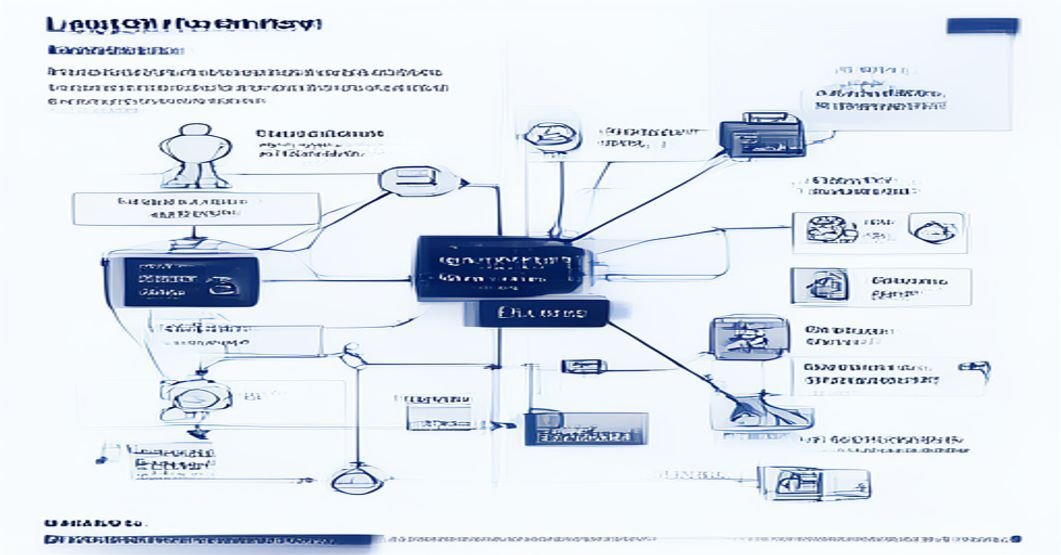
Part 5 — Multi-Agent Supervisor
from typing import Literal

class SupervisorState(TypedDict):
    messages: Annotated[Sequence[AnyMessage], operator.add]
    next_agent: str

def supervisor(state: SupervisorState) -> dict:
    prompt = SystemMessage(content="""Route this task to the right specialist:
    - "researcher": web search and information gathering
    - "writer": creating documents and reports
    - "coder": writing or debugging code
    - "FINISH": task is complete
    Reply with just the specialist name.""")
    response = llm.invoke(list(state["messages"]) + [prompt])
    return {"next_agent": response.content.strip()}

def route(state: SupervisorState) -> str:
    return state["next_agent"]

supervisor_graph = StateGraph(SupervisorState)
supervisor_graph.add_node("supervisor", supervisor)
# Add your sub-agent nodes here
supervisor_graph.set_entry_point("supervisor")
supervisor_graph.add_conditional_edges("supervisor", route,
    {"researcher": "researcher", "writer": "writer", "coder": "coder", "FINISH": END})
LangGraph vs LangChain — When to Use Each
LangChain: For simple sequential pipelines — a prompt, then a parser, then an output. Good for RAG, document Q&A, and simple API chains with no loops or complex state.
LangGraph: When you need loops, conditional branching, state persistence, or multi-agent coordination. Any task that might require the agent to retry, revisit, or make decisions based on intermediate results.
They’re compatible — LangChain components (tools, retrievers, embeddings) work inside LangGraph nodes.
Common LangGraph Mistakes
Forgetting operator.add on messages: Without the Annotated reducer, each node replaces the full message list — the agent loses all context immediately.
No END condition: Every conditional edge needs a path to END. Without it, the graph loops forever and burns API credits.
Interrupts without checkpointer: interrupt_before silently fails if no checkpointer is set — state can’t be saved between pause and resume.
Frequently Asked Questions
What is the difference between LangChain and LangGraph?
LangChain is for linear chains (sequential steps). LangGraph adds a graph execution layer with loops, conditional routing, and state persistence. LangGraph is built on LangChain and uses its components — chains, tools, retrievers all work inside LangGraph nodes.
Is LangGraph better than CrewAI?
Different trade-offs. LangGraph gives maximum control — you define every node and edge explicitly. CrewAI is higher-level and easier to start with, but harder to customize. For complex routing logic, LangGraph wins. For quickly spinning up multi-agent teams, CrewAI is faster.
Does LangGraph work with OpenAI models?
Yes. LangGraph works with any LangChain-compatible LLM — OpenAI GPT-4o, Google Gemini, Anthropic Claude, or local models via Ollama. Just replace ChatAnthropic with ChatOpenAI from langchain_openai.
How do I debug a LangGraph agent?
Three approaches: (1) stream() to see each step in real-time, (2) get_state(config) to inspect state at any checkpoint, (3) get_graph().draw_mermaid() to visualize the full routing graph. LangSmith provides production-grade tracing and observability.
