

Choosing the wrong AI agent framework costs weeks. The landscape changed significantly in 2026 — frameworks have matured, new contenders emerged, and production deployments have revealed which ones hold up under real load. This comparison is based on hands-on testing. No vendor bias.
Why Framework Choice Matters
The framework you choose determines: how much control you have over agent behavior, how easily you can debug unexpected actions, how well it scales from prototype to production, and your maintenance burden six months from now. An agent that works in a Jupyter notebook but breaks in production is useless.
The Contenders in 2026
| Framework | Stars | Language | Best For |
|---|---|---|---|
| LangGraph | 45k+ | Python, JS | Stateful workflows, max control |
| CrewAI | 38k+ | Python | Multi-agent, role-based |
| AutoGen | 42k+ | Python | Code execution, conversations |
| OpenAI Agents SDK | 28k+ | Python, JS | Simple production agents |
LangGraph — Maximum Control, Steepest Curve
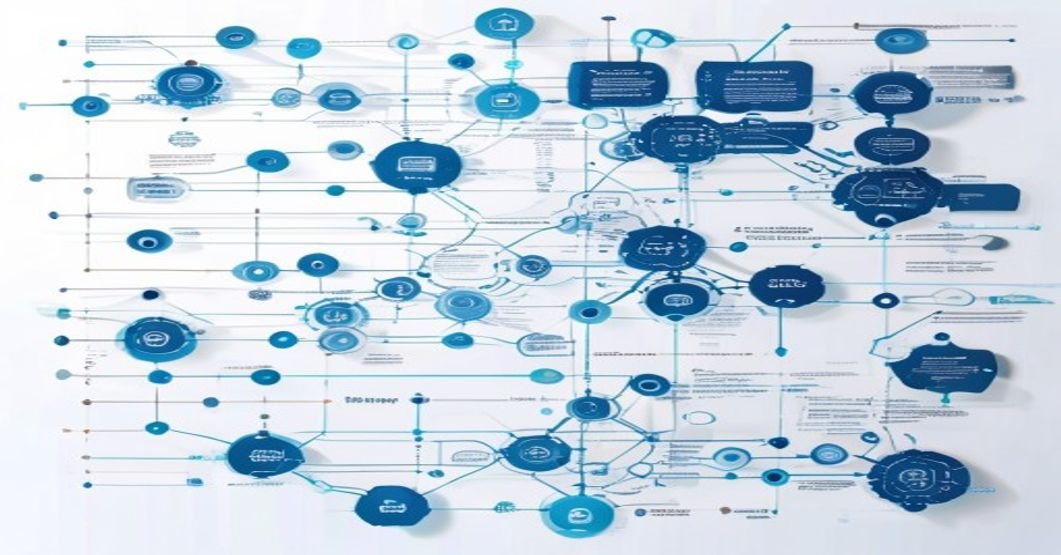
LangGraph models your agent as a directed state graph — nodes are functions, edges are transitions, and state flows through the graph. Think of it as a flowchart where each box can call an LLM or a tool. It gives you more control than any other framework but requires understanding state machine concepts.
LangGraph Core Example
from langgraph.graph import StateGraph, END
from typing import TypedDict, Annotated
import operator

class AgentState(TypedDict):
    messages: Annotated[list, operator.add]
    research_done: bool

def research_node(state):
    response = llm_with_tools.invoke(state["messages"])
    return {"messages": [response], "research_done": True}

def should_continue(state):
    return "write" if state["research_done"] else "research"

graph = StateGraph(AgentState)
graph.add_node("research", research_node)
graph.set_entry_point("research")
graph.add_conditional_edges("research", should_continue)
agent = graph.compile()
LangGraph Production Features
- Built-in Checkpointing: SQLite, Postgres, or in-memory persistence — agents resume exactly where they left off
- Time-Travel Debugging: Go back to any previous state and replay from there — invaluable for debugging long-running agents
- Real-time Streaming: See every tool call, LLM response, and state transition as it happens
Use LangGraph when: your workflow has complex conditional branching, you need built-in persistence, or you’re building production systems that need precise debugging. Learning curve: 2–3 weeks. Production readiness: ★★★★★
CrewAI — Fastest to Multi-Agent
CrewAI uses role-playing metaphors — define agents as “crew members” with roles, goals, and backstories, then assemble them into a “crew” working on “tasks.” It’s the fastest framework to get a working multi-agent system running. Most teams use it for prototyping, then graduate to LangGraph for production.

CrewAI Core Example
from crewai import Agent, Task, Crew, Process

researcher = Agent(
    role="Senior Research Analyst",
    goal="Find accurate, up-to-date information",
    backstory="10 years of research experience, meticulous",
    tools=[search_tool],
    llm="claude/claude-opus-4-7"
)

writer = Agent(
    role="Technical Content Writer",
    goal="Transform research into clear developer content",
    llm="claude/claude-sonnet-4-6"
)

task = Task(
    description="Research top AI agent frameworks 2026",
    agent=researcher,
    expected_output="Structured report with data for each framework"
)

crew = Crew(agents=[researcher, writer], tasks=[task])
result = crew.kickoff()
Use CrewAI when: your workflow maps to clear roles, you want fast prototyping, or you need multi-agent without complex state. Learning curve: Hours. Production readiness: ★★★★☆
AutoGen — Best for Code Execution
AutoGen (Microsoft Research) frames agents as conversational actors. Multiple agents talk to each other to solve problems. Its defining feature: safe, sandboxed code execution. An AssistantAgent writes code; a UserProxyAgent executes it and returns results. Unmatched for data science and software engineering workflows.

AutoGen Core Example
import autogen

llm_config = {"model": "claude-opus-4-7", "api_type": "anthropic"}

assistant = autogen.AssistantAgent(
    name="DataAnalyst",
    system_message="Expert data analyst. Write Python to solve tasks.",
    llm_config=llm_config
)

user_proxy = autogen.UserProxyAgent(
    name="executor",
    human_input_mode="NEVER",
    code_execution_config={"work_dir": "analysis", "use_docker": True}
)

user_proxy.initiate_chat(
    assistant,
    message="Load sales_data.csv, find top 3 products by revenue, plot chart."
)
Use AutoGen when: code writing + execution is central, you’re doing data science or engineering tasks, or you want agents to refine solutions through conversation. Learning curve: 1–2 days. Production readiness: ★★★★☆
OpenAI Agents SDK — Simplest Production Path
Released in 2025, the OpenAI Agents SDK offers the simplest path to production agents. Clean decorator-based API, built-in tracing dashboard, and agent handoffs out of the box. Best for teams that want minimal boilerplate and zero-config observability.
from agents import Agent, Runner, tool

@tool
def get_stock_price(symbol: str) -> str:
    """Get current stock price for a symbol."""
    return financial_api.get_price(symbol)

agent = Agent(
    name="PortfolioAnalyst",
    instructions="Help users understand their portfolio.",
    tools=[get_stock_price],
    model="claude-sonnet-4-6"
)

result = Runner.run_sync(agent, "What is AAPL trading at?")
Use OpenAI Agents SDK when: you want the fastest path to production, need built-in tracing, or are building straightforward agents. Learning curve: Hours. Production readiness: ★★★★☆
Head-to-Head Comparison
| Criteria | LangGraph | CrewAI | AutoGen | OAI SDK |
|---|---|---|---|---|
| Setup time | 2–3 days | 30 min | 2–4 hrs | 1–2 hrs |
| Control level | Maximum | Medium | Medium | Medium |
| Multi-agent | Manual | Native ✓ | Native ✓ | Handoffs |
| Code execution | Via tools | Via tools | Native ✓✓ | Via tools |
| Persistence | ★★★★★ | ★★☆☆☆ | ★★★☆☆ | ★★★☆☆ |
| Debugging | Time-travel | Verbose logs | Chat trace | Dashboard |
Decision Guide — Which Should You Choose?
- Choose LangGraph if you need precise control, complex conditional logic, built-in checkpointing, or are building long-term production systems
- Choose CrewAI if you’re prototyping quickly, your workflow maps to roles naturally, or you need the fastest time to first working multi-agent system
- Choose AutoGen if code writing + execution is central, you’re doing data science or software engineering tasks
- Choose OpenAI Agents SDK if you want minimal boilerplate, built-in tracing, and a simple production agent
Recommended path: Start with CrewAI to validate your workflow, then migrate to LangGraph for production control. The migration is manageable — tools, prompts, and business logic transfer directly.
Frequently Asked Questions
Is LangGraph better than CrewAI?
For production systems requiring precise control: yes. For fast multi-agent prototyping: CrewAI wins. They solve different problems. Start with CrewAI, graduate to LangGraph when you need more control.
Which AI agent framework is best for beginners?
CrewAI — you can build a working multi-agent system in under an hour. The OpenAI Agents SDK is a close second with its simple decorator-based API.
Can I use Claude with LangGraph, CrewAI, and AutoGen?
Yes. All four frameworks fully support Anthropic’s Claude models. LangGraph uses langchain-anthropic, CrewAI supports Claude model strings natively, and AutoGen/OAI SDK both have Anthropic integrations.
What is the best AI agent framework for production in 2026?
LangGraph is the most production-ready with built-in checkpointing, time-travel debugging, and maximum flexibility. It powers hundreds of production deployments and is actively maintained by the LangChain team.
